Rolling & Accessories
2-Piece vs 4-Piece Grinder: How to Pick the Right Herb Grinder
Compare 2-, 3- and 4-piece and electric herb grinders, learn which materials and teeth to look for, and how to clean and…
 Skip to content
 Adults 21+ only. Tracked US shipping in plain, unbranded packaging.Tracked, discreet US shipping.


A digital pocket scale gives you fast, precise weights for small items like coffee beans, loose-leaf tea, dried herbs, jewelry and letters, as long as you set it up right. Using one well comes down to three habits: tare before every weigh, measure on a stable surface and calibrate it regularly with a proper weight.
Inside every digital pocket scale is a load cell, a small metal part that flexes very slightly when weight is placed on the platform. That flex changes an electrical signal, and the scale converts the signal into the number you see on the display. Because it is so sensitive, drafts, a tilted table or a weak battery can shift the reading.
Every scale lists two numbers, usually written like 200 g x 0.01 g.
Readability is not accuracy: a 0.01 g scale can still be off if it is not calibrated or sits on an uneven surface.
| Capacity x readability | Typical uses | Notes |
|---|---|---|
| Up to about 50 g x 0.001 g | Jewelry stones, very small parts, hobby and lab-style work | Extremely sensitive; usually needs a draft shield and a very still surface |
| 100–200 g x 0.01 g | Dried herbs, loose-leaf tea, jewelry, small craft supplies | The classic pocket scale range; a good balance of precision and capacity |
| 500–750 g x 0.1 g | Coffee beans, spices, baking ingredients, small parcels | Handles heavier items and larger containers with less sensitivity to drafts |
| 1–5 kg x 1 g | Kitchen cooking, meal prep | Kitchen scale territory; not precise enough for small items |
| 10–50 kg x 5–10 g | Postage, shipping boxes, luggage | Built for bulk weight, not fine detail |
Tare tells the scale to ignore whatever is already on the platform. If an empty bowl weighs 35.20 g and you press tare, the display shows 0.00 g, and anything you add afterward is measured on its own. Just remember that the container still counts toward the total capacity, so a heavy bowl leaves less room for what goes in it.
Calibration teaches the scale what a known weight looks like, so every reading lines up with reality. Most pocket scales should be calibrated when new, after a change in batteries, after being moved somewhere with a different temperature, or any time readings seem off.
Calibration weights are precision-made metal weights, usually stainless steel, built to a stated mass within a tight tolerance. Many pocket scales include one in the box, and they are commonly sold in sizes like 20 g, 50 g, 100 g and 200 g. Your scale’s manual tells you which weight it expects. Using the wrong weight, or a household object like a coin, can make the scale less accurate, because coins wear down and vary from one to the next.
The exact button sequence varies by model, so always check your manual first. Most pocket scales follow a pattern like this:
Tip: Store your calibration weight in its case and only touch it with tweezers. A scratched, dusty or fingerprinted weight is no longer the exact mass it says it is, and every calibration you do with it will carry that error.
Codes differ by brand, so your manual is the final word, but these are common:
Browse our full range of digital scales to compare capacities and features. Pair one with a rolling tray for a clean workspace, and check our accessory guides for more how-tos.
Calibrate when it is new, after changing batteries, after moving it to a different environment and whenever readings seem off. If you use it daily, a quick check with your calibration weight every week or two is a good habit.
It is not recommended. Coins wear and vary in mass, so they are not exact enough for a 0.01 g scale. Use the calibration weight your manual specifies.
Drifting numbers usually come from drafts, an uneven surface, vibration, nearby electronics or weak batteries. Fix those and let the scale warm up before weighing.
The scale can weigh up to 200 grams and displays weight in steps of 0.01 grams. The first number is capacity; the second is readability.
Tare every time, weigh on a steady surface, keep fresh batteries in it and calibrate with a proper weight, and your digital pocket scale will stay reliable for years. Questions about a specific model? Visit our FAQ page.
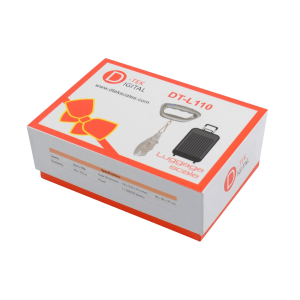
Compare 2-, 3- and 4-piece and electric herb grinders, learn which materials and teeth to look for, and how to clean and…
Oct 10, 2026 · 6 min read
Papers or pre-rolled cones? Compare sizes, rice vs hemp materials, tips and filling technique to find the right fit for how you…
Oct 10, 2026 · 7 min read
What THC-P is, how it shows up in hemp blends, the formats you will see on shelves, and how to read the…
Oct 10, 2026 · 6 min read You must be at least 21 years old to enter this site. By entering, you confirm you are of legal age to purchase smoking accessories and hemp-derived products in your state.
Sorry, you must be 21 or older to enter Puffezee. This site sells products for adults only.